I was building a new installer for an application today using WiX v3, and ran into a problem when trying to extract the COM SelfReg from a DLL using heat.
The error that heat returned was not very helpful.
heat.exe : warning HEAT5150 : Could not harvest data from a file that was expected to be a SelfReg DLL: PrinterBvr.dll. If this file does not support SelfReg you can ignore this warning. Otherwise, this error detail may be helpful to diagnose the failure: Exception has been thrown by the target of an invocation..
No tracing options were available in heat to figure out what actually caused the exception or even what the exception was! Time to pull out one of my favourite debugging tools: Procmon. Procmon traces activities on your system and records registry, file, network and similar activities to a log file.
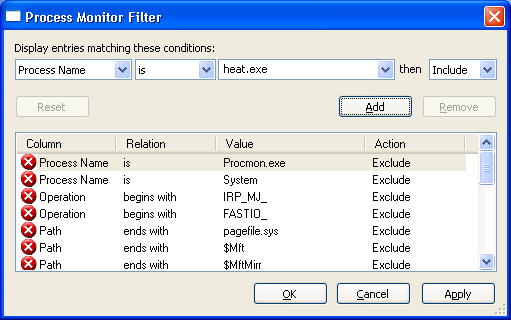
So, I ran Procmon and added a filter to restrict the log to processes named “heat.exe”:
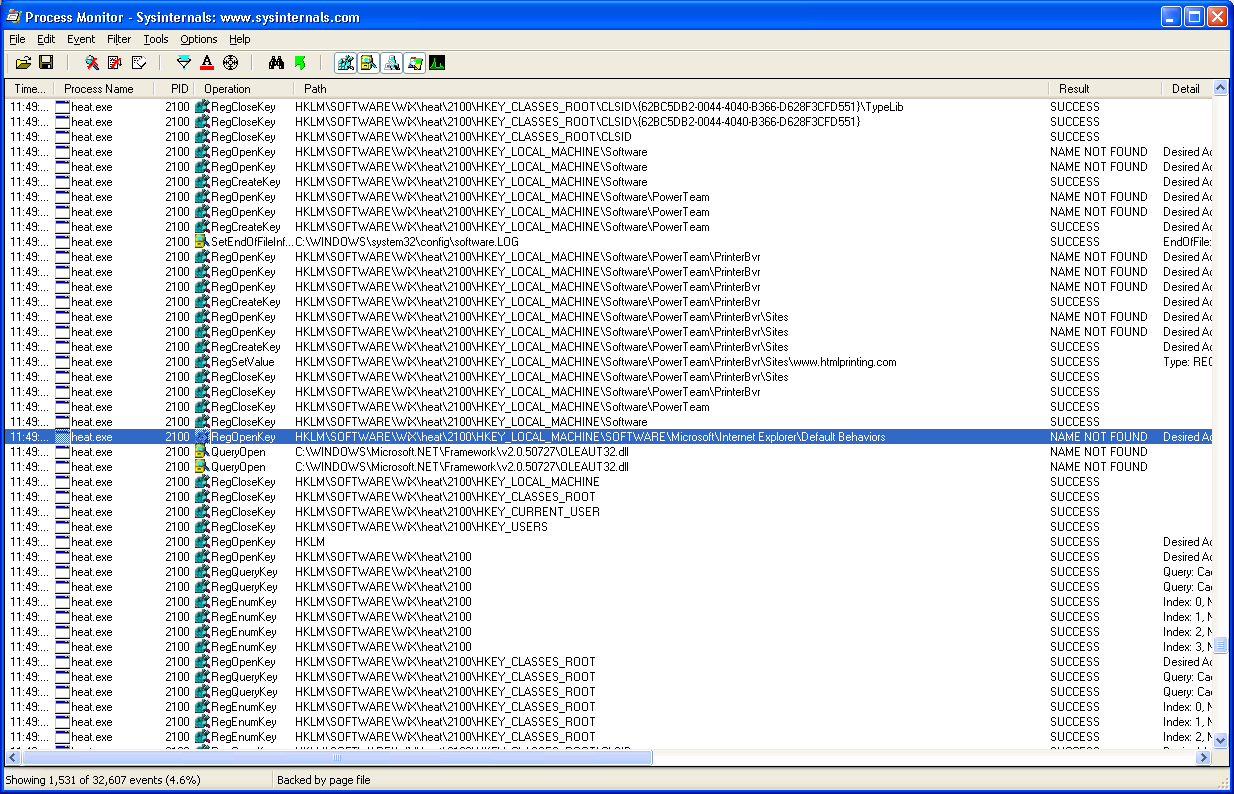
Then I started the trace and re-ran my command. It failed (as expected) with the same error. I came back to Procmon, stopped the trace, and scanned through looking for a failure point. Near the bottom of the trace, I found the issue. Part of the work heat does is to redirect registry actions to a special location in the registry so it can capture the work the DLL’s DllRegisterServer call does. Unfortunately, printerbvr.dll was depending on a specific key in HKLM already existing, which of course it did not in the redirected registry keys.
At this point I was able to understand the cause of the problem. But how could I work around this to get heat to do its work? I only needed to do this once to capture the registry settings. I could have used Procmon to watch all the activity and manually built the .wxs source file from that. But I was loath to do so much work.
Looking at the trace a bit closer I noted that the key that heat used as a temporary root for its registry redirection was based on its process ID. So I couldn’t create the keys beforehand because I wouldn’t know what the process ID was until after heat had already started — and the process only took a fraction of a second to run.

Windbg to the rescue! I fired up windbg, and started a new debug session with heat.exe and the appropriate command line parameters for heat. I didn’t want to create the registry key based on the PID before heat did that itself because I figured heat might complain if the registry key was already there. So I quickly peeked at the handy stack trace that Procmon had captured for the event in question:
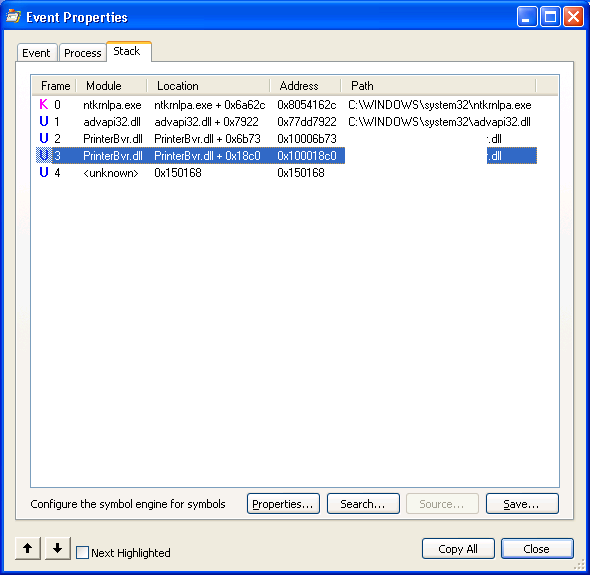
From that I discerned that I could add a breakpoint when PrinterBvr.dll + 0x18BB (subtracting 6 bytes for the size of the ‘call’ opcode), and continued execution. I could probably have added the breakpoint at printerbvr.dll!DllRegisterServer, but this worked for me:
bu printerbvr.dll+0x18bb
g
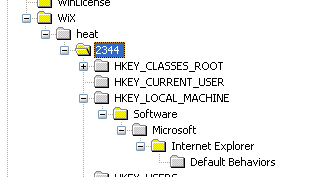
At the right time, we hit the breakpoint and I then jumped into the registry (after quickly looking up the PID for this instance of heat.exe) and created my new registry key:
This time, everything completed happily, I had my .wxs output file, and I was able to get on with some real work (i.e. writing this blog post).