Indy Sockets: an example of how to not distribute software libraries

Indy Sockets is a library of network components for Embarcadero Delphi, which has been included in the Delphi distribution for many years now.  Like all libraries, bug fixes and patches are regularly made to the source and thus it is typically a good idea to update your the library periodically.
Unfortunately the method of distribution that the Indy Sockets developers have chosen could be a classic example of how to not distribute software libraries.  Here’s why.
When you visit the Indy download page, you are presented with the following blurb:

Installation

Development Snapshot – Instructions to obtain live source and compile manually.

Alternatively you can download the Source Code for Version 10.0.52. This is however a rather old version and is no longer recommended.

So naturally, one follows the Development Snapshot link as the rather old version is no longer recommended, right?  Once you get to the Development Snapshot page, you are then presented with the following scary message:

“You are being warned. This will provide you with a direct link into our current development files. At various times the files may not compile, or in some cases may cause strange errors. Use at your own risk! However please see the version specific notes below. If you are unlucky enough to download a bad version please try again a little later. We apologise for any inconvenience caused.”

This means that when you download Indy, you have no guarantee of getting a stable or even a compiling version.  There is no version information, and you have to rely on their SVN commit logs to figure out what the status of the libraries are.  Oh yes, and the “version specific notes” are missing.

Poor show.

Hobart Bike Infrastructure – the Taroona Bike Lanes

The Taroona bike lanes are some of Hobart’s earliest bicycle infrastructure.  Kingborough Council was the first council in Tasmania to install on-road cycle lanes – in Kingston on Channel Highway in the 1990s. I don’t know who is actually responsible for the installation of the bicycle lanes in Taroona in 2002 but I believe it comes under the auspices of DIER. I must applaud the forward thinking of whoever pushed for the bike lanes and for getting the ball rolling on the whole bicycle infrastructure problem in Hobart.

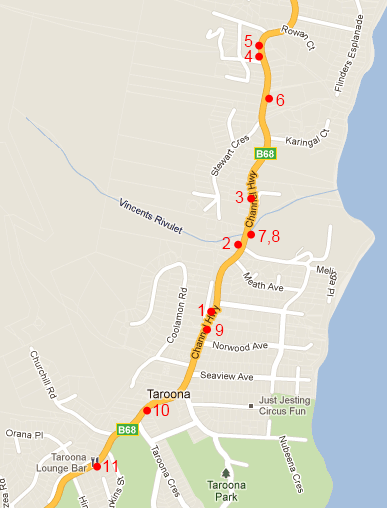
So then, what’s the blog about?  As such I hope this blog can be read as constructive criticism. I use the bike lanes in Taroona on an almost daily basis and have become very familiar with certain pressure points on the route.  Unfortunately, the Taroona bike lanes have a few problems which limit their accessibility and compromise the safety of riders using them. I’ve opted to describe these issues pictorially; the little map below shows where each of these photos was taken.

The issues do of course vary in severity and I’ve tried to indicate this in terms of how serious I think the issue is and the risk to the cyclist.  A general problem with the lanes is that they are very narrow – much narrower than is really necessary for a safe separation from the already narrow traffic lane.  This is particularly obvious when large vehicles such as buses pass.

Despite being one of the most frequented cycling routes in Hobart, the cycle lanes frequently have sections covered in gravel or other rubbish.  This is a maintenance issue.

Map of Taroona with approximate photo locations highlighted
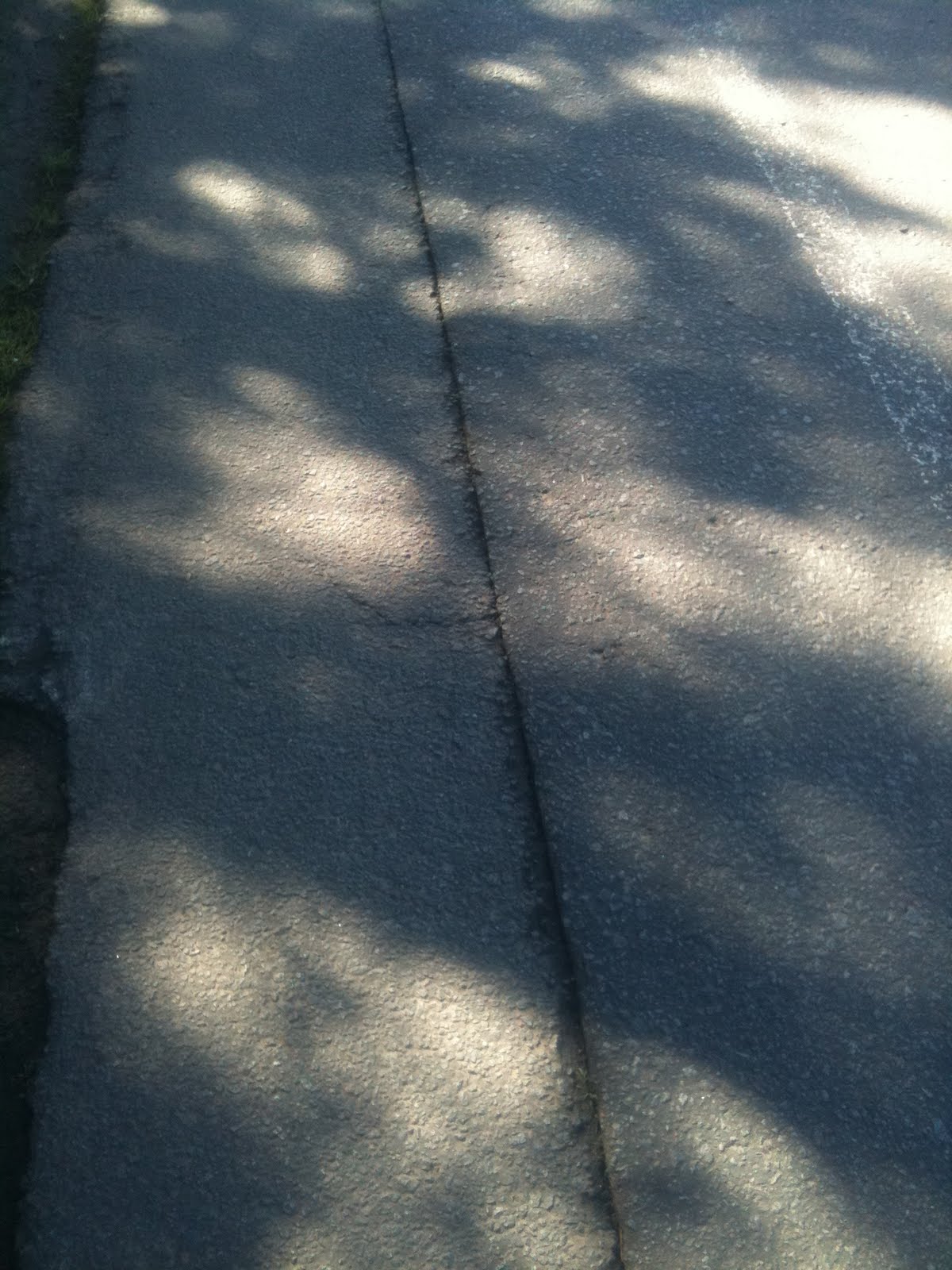
1. Seams in the bitumen (minor)

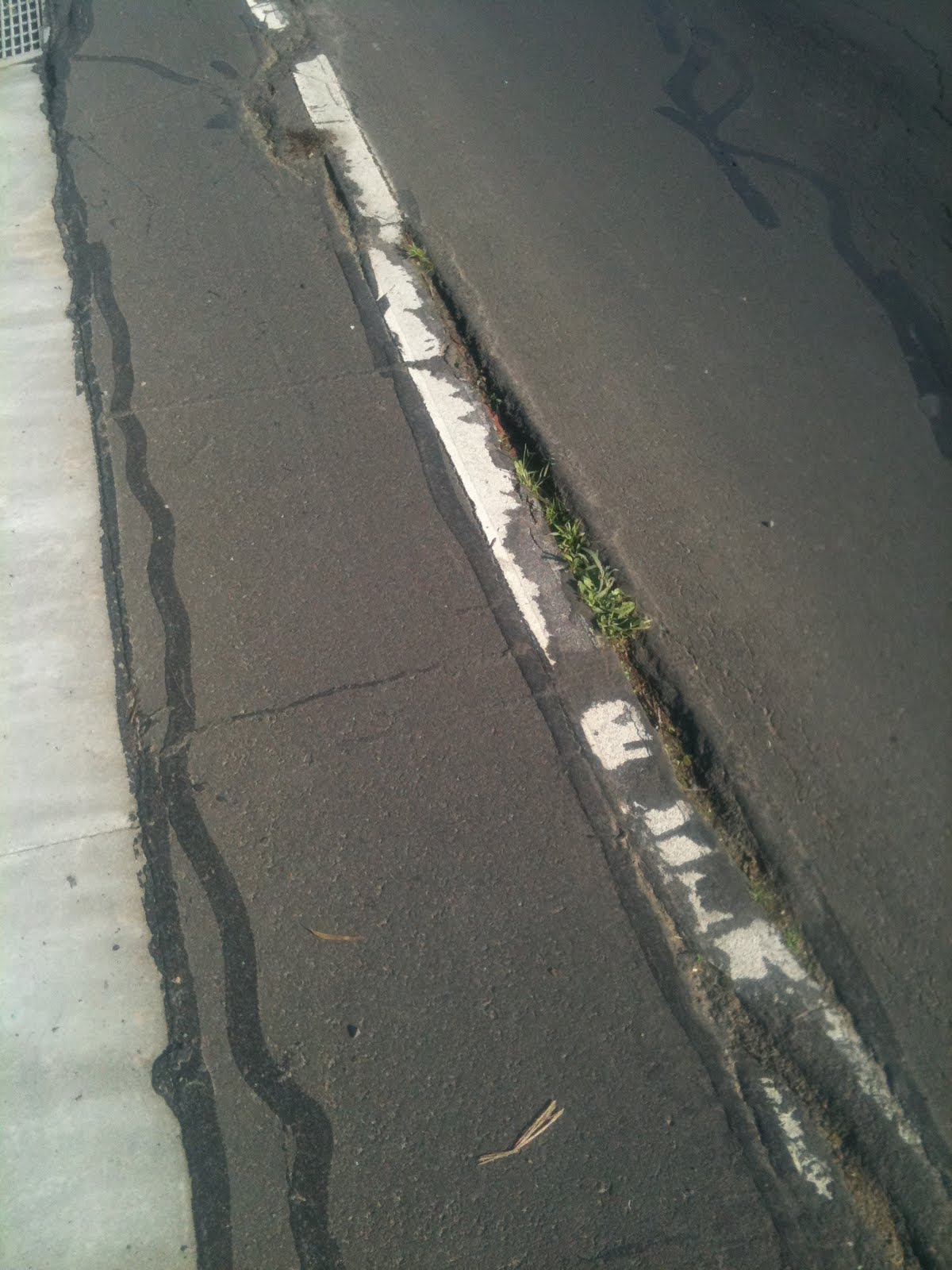
The first problem is not a huge one but when wet can pose a danger to the commuting cyclist.  The seams running along the middle of the bike lane have a tendency to catch wet tyres and cause the cyclist to come off their bike.  Given that the bike lane is narrow, there is potential for the rider to fall into the path of an oncoming car.

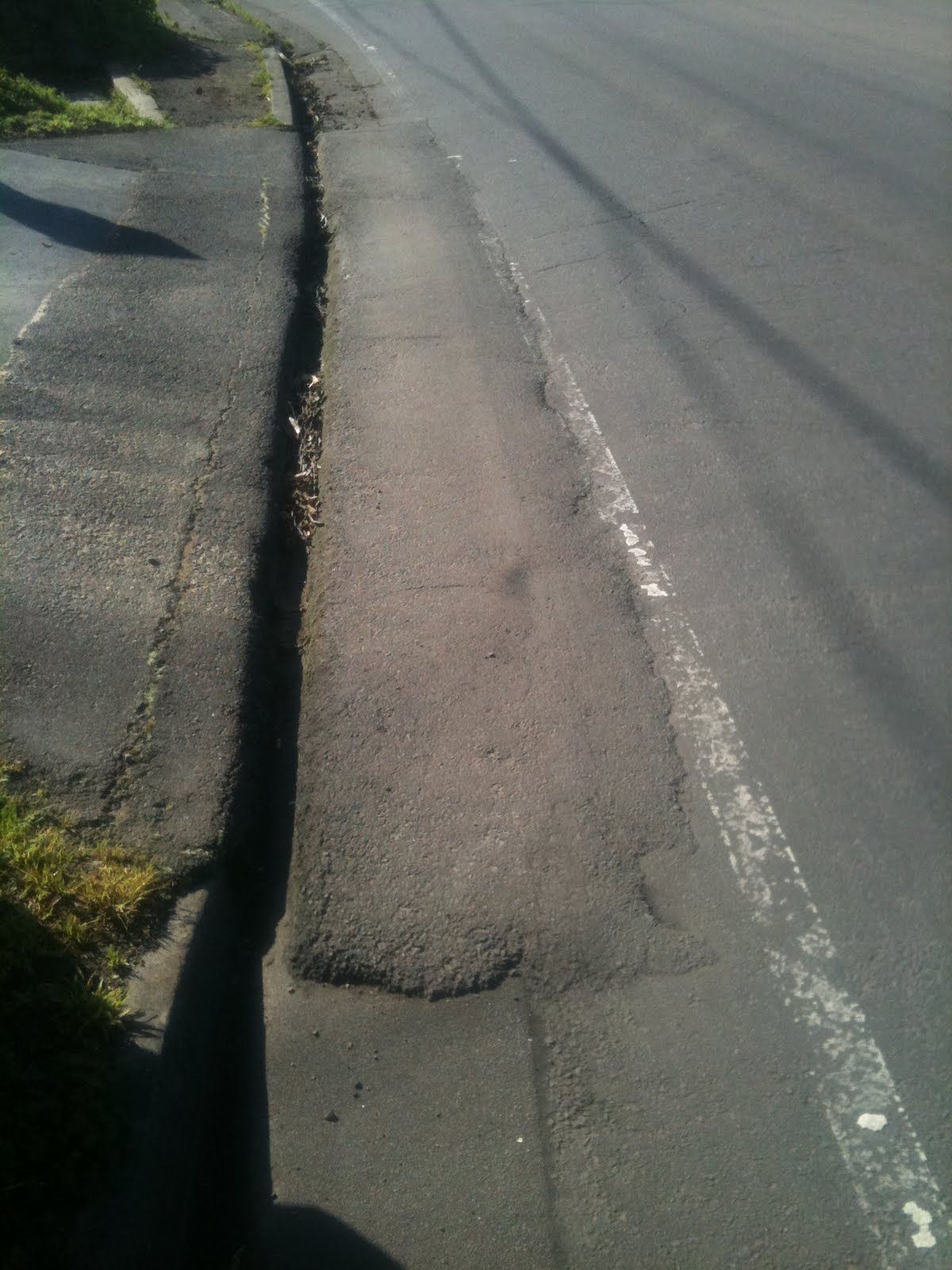
2. Raised driveway access (severe)

This is one of the more serious obstacles in the bike lane.  After rounding a sharp bend, the commuting cyclist is presented with the obstacle above which completely blocks the bike lane.  This is very dangerous, particularly in the wet.  Most cyclists on road or commuter bikes really have no choice but to enter the road lane, at a point with poor sight lines.  The drainage gap to the left is a further danger to the cyclist, being a perfect width to capture a wheel!

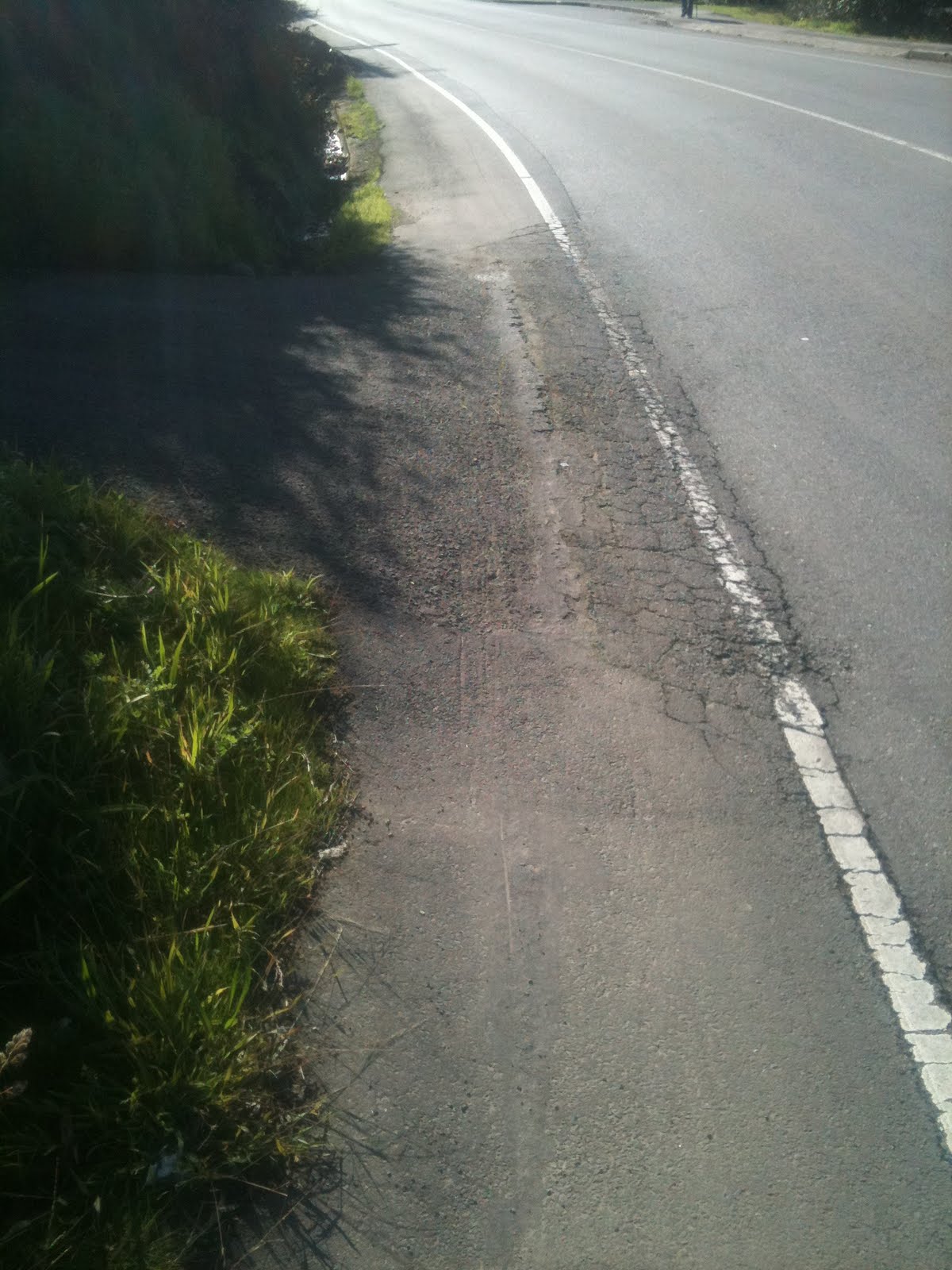
3. Driveway access, uneven broken surface and lumpy (moderate)

The driveway pictured above looks navigable from the photo but in reality has a lumpy and broken surface which is treacherous, again especially in the wet.  Many cyclists will opt to enter the roadway to avoid riding over this driveway.

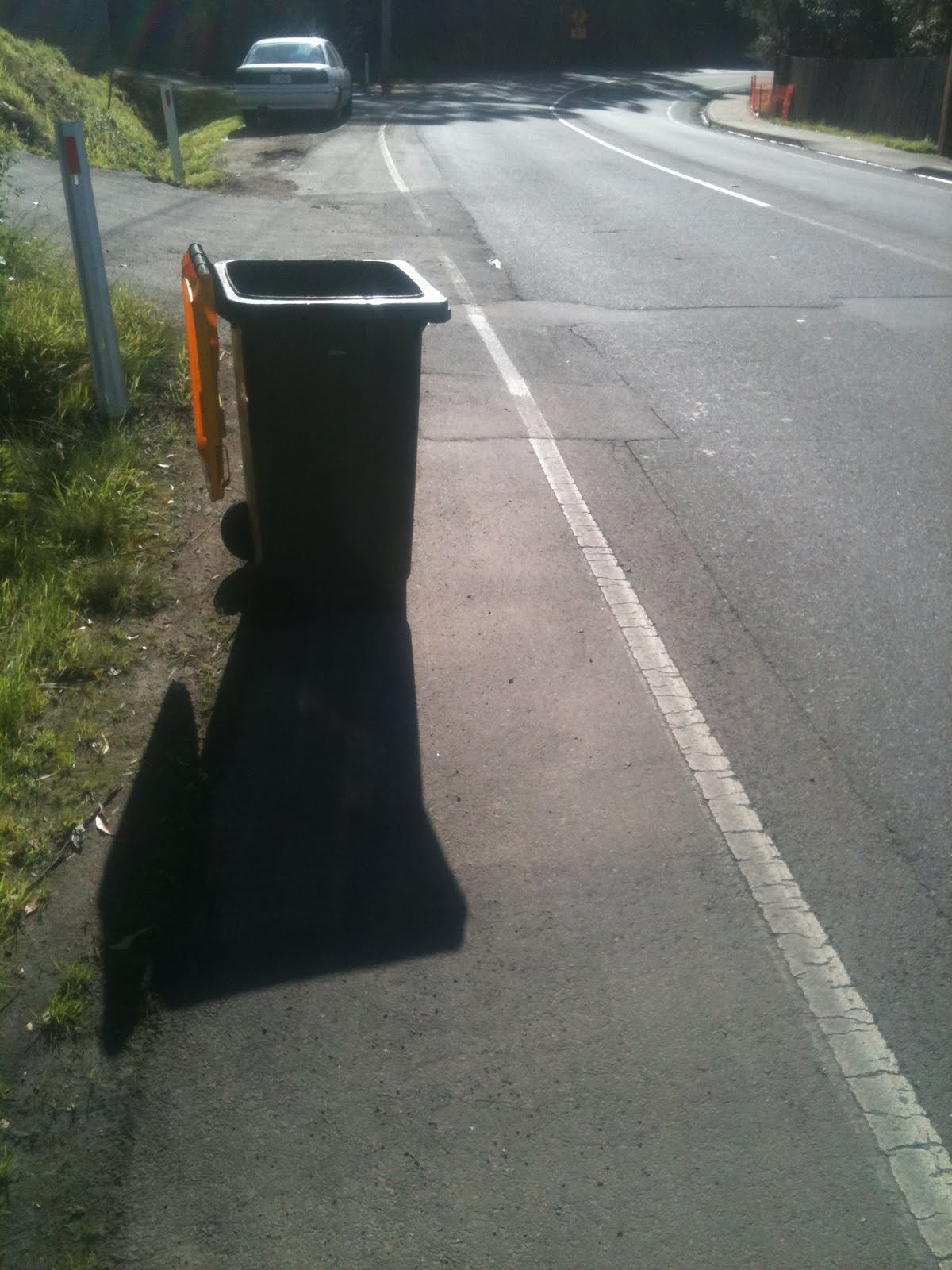
4. Wheelie bins (moderate)

Wheelie bins are generally fairly visible but tend to be placed in the bike lane on garbage collection day in many locations through Taroona.  This means that cyclists must ride in the road lane for much of the route through Taroona on garbage days.

5. Parked cars #1 (minor)

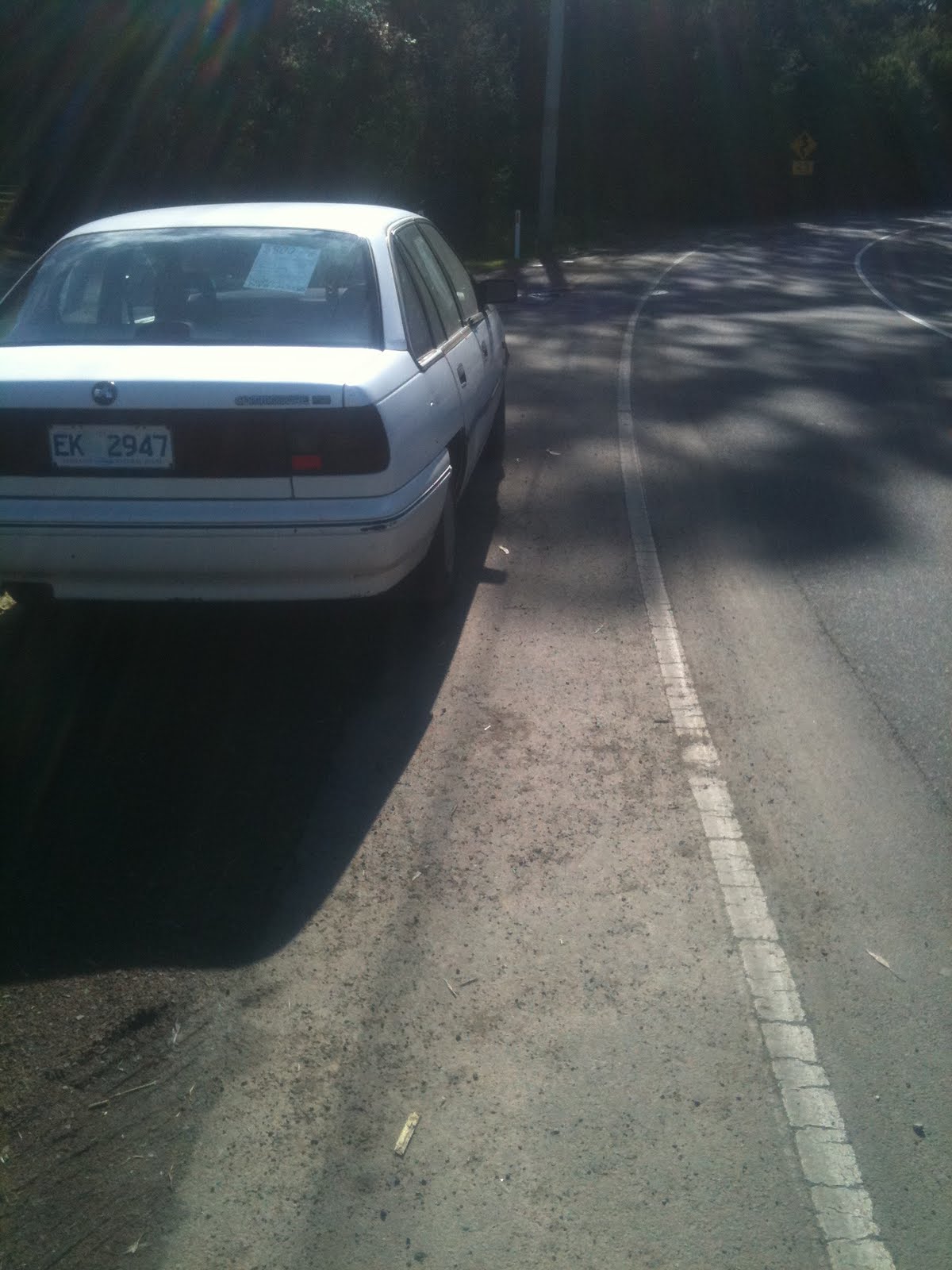
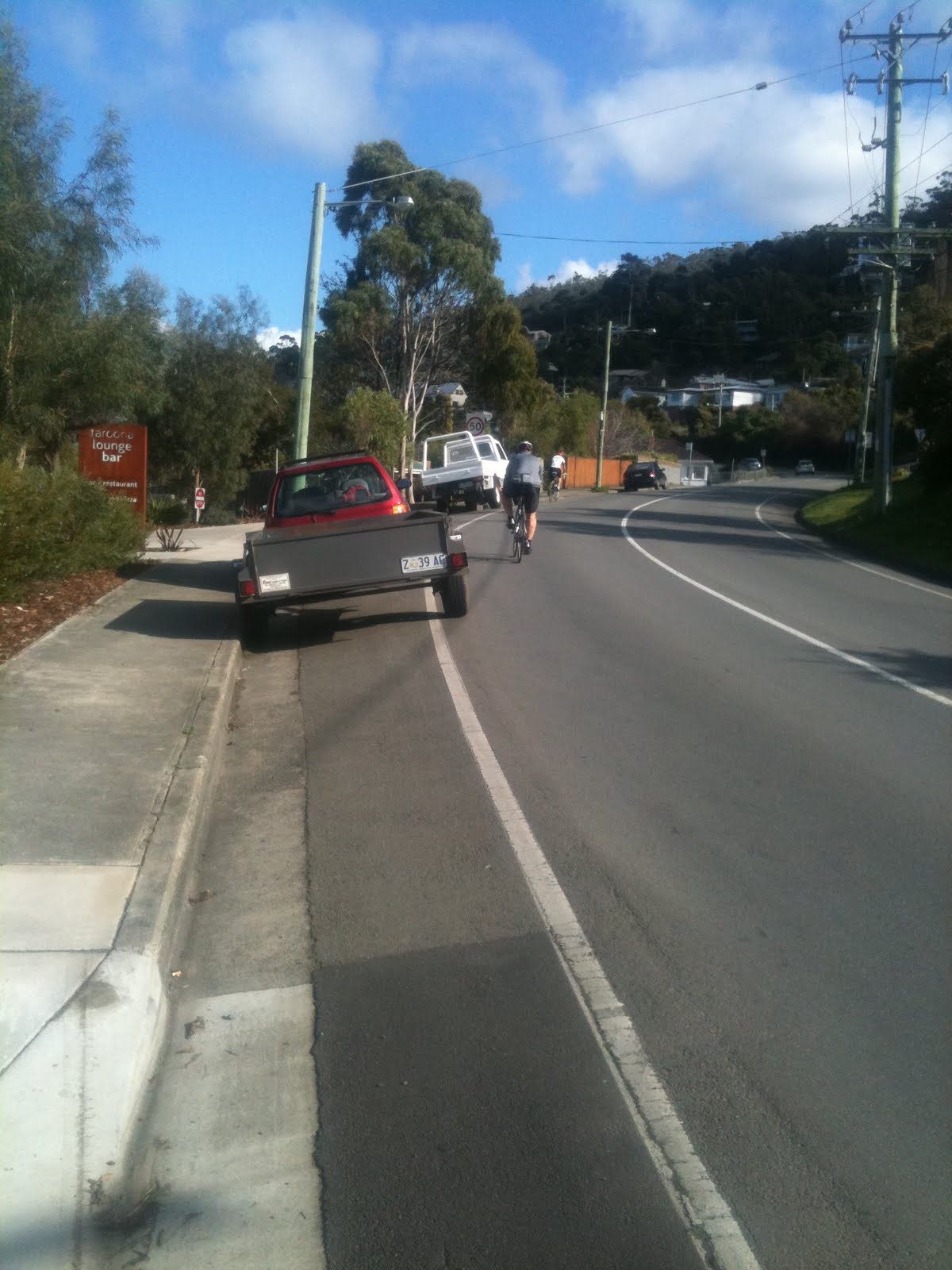
This picture shows a driver who has attempted to move their car as far off the road and as far out of the bike lane as possible.  Unfortunately, they still encroach into the lane by about 20cm, and cyclists who are wary of being doored will give the parked car a wide berth, again entering the roadway.  This picture also shows some minor gravel on the bike lane: the question becomes who’d choose to ride in gravel when the clean, smooth road surface is just 50cm to the right?

6. Parked cars (severe)

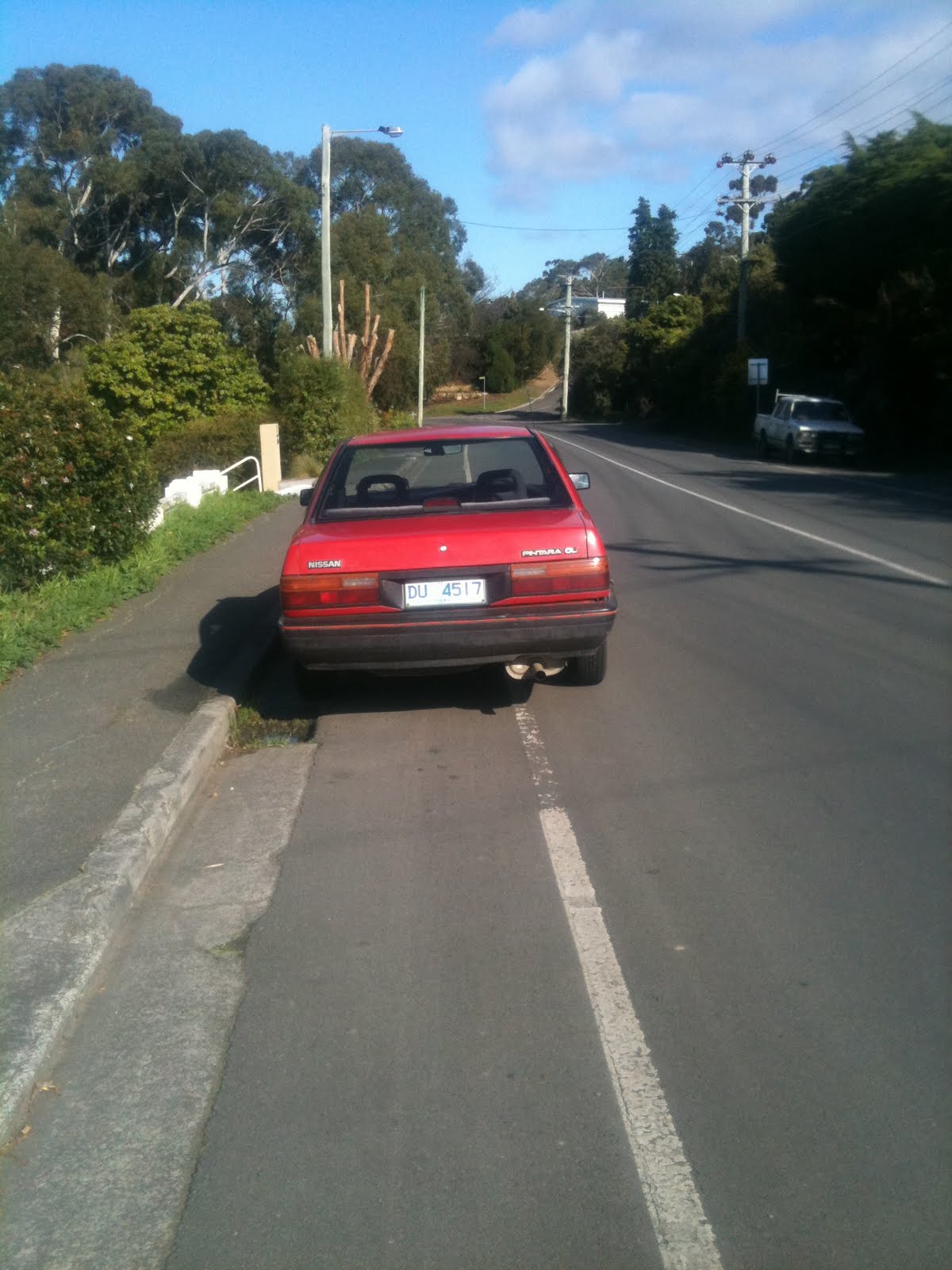
On the opposite side of the road now, heading towards Kingston, we see one of the biggest issues with the bike lane in Taroona.  There is simply nowhere for drivers to park along this section of road but smack bang in the middle of the bike lane.  This of course forces riders into the middle of the roadway, causing conflict with drivers and potential for collisions. I have had issues with impatient drivers overtaking me quite dangerously along this stretch of road, where there are often several parked cars.

7. Broken surface and sloping, extremely narrow lane (severe)

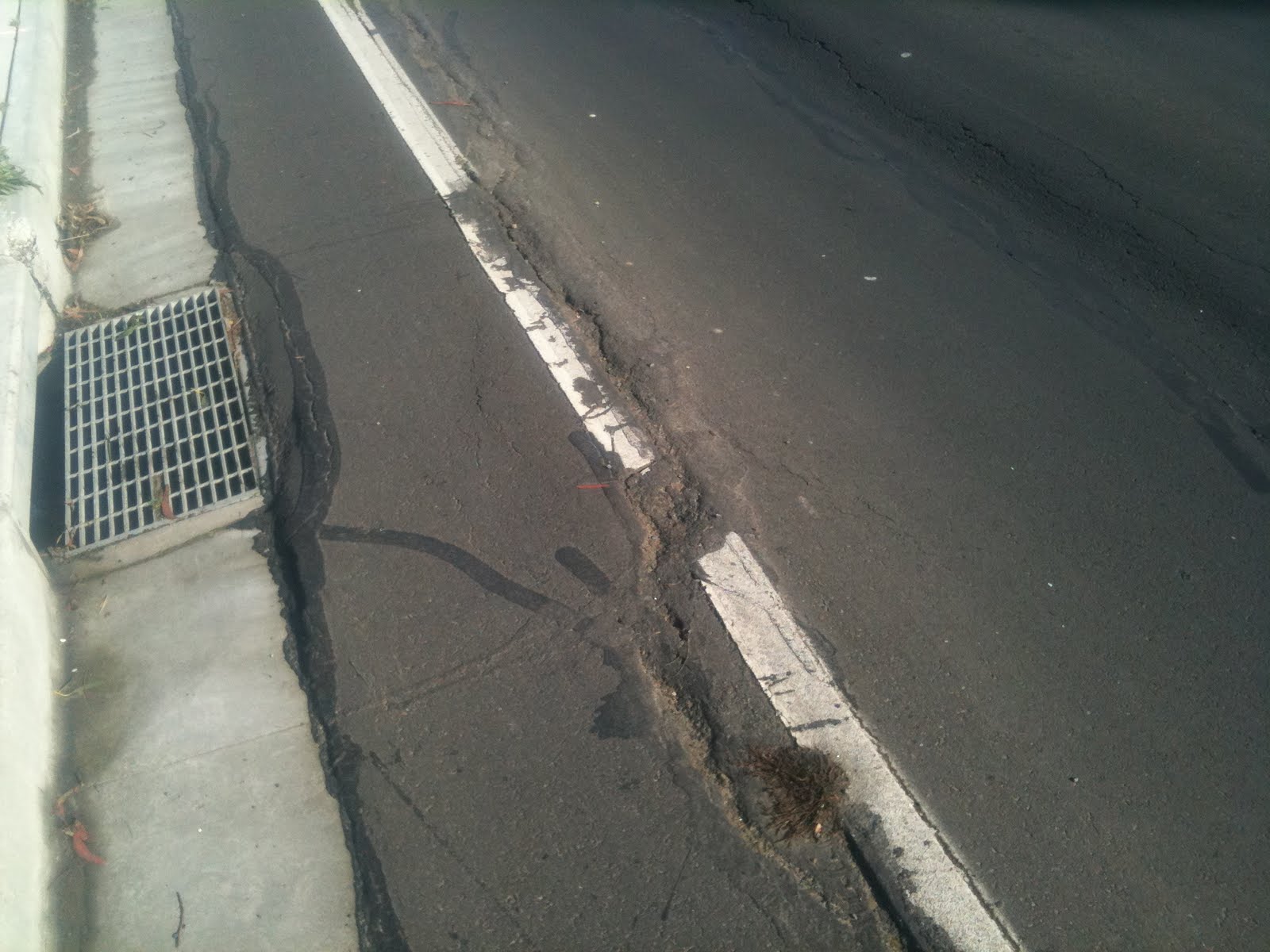
This is unfortunately a new section of road outside Taroona Primary School.  The road was widened about a year ago I believe, but some slippage has caused the bicycle lane to become virtually unusable, with wide cracks and a slope on it which is positively dangerous in the wet.  It is also extremely narrow.  I almost always ride in the road lane to avoid the obstacles in this section.  It is disappointing that such a poor job was done on this new section of road.

8. more of broken and sloping (severe)

This picture shows more of the cycle lane outside Taroona Primary School.

9. Drain completely impeding passage along bicycle lane (severe)

This one hardly needs any commentary.  This drain, with its broken edges and covering 90% of the bicycle lane, is simply not safe to ride over. The blue access cover just prior to the drain further complicates safe passage.  The only safe route past this drain is in the roadway.  You might be picking up a pattern by now.
 

10. Uneven service covers (moderate)

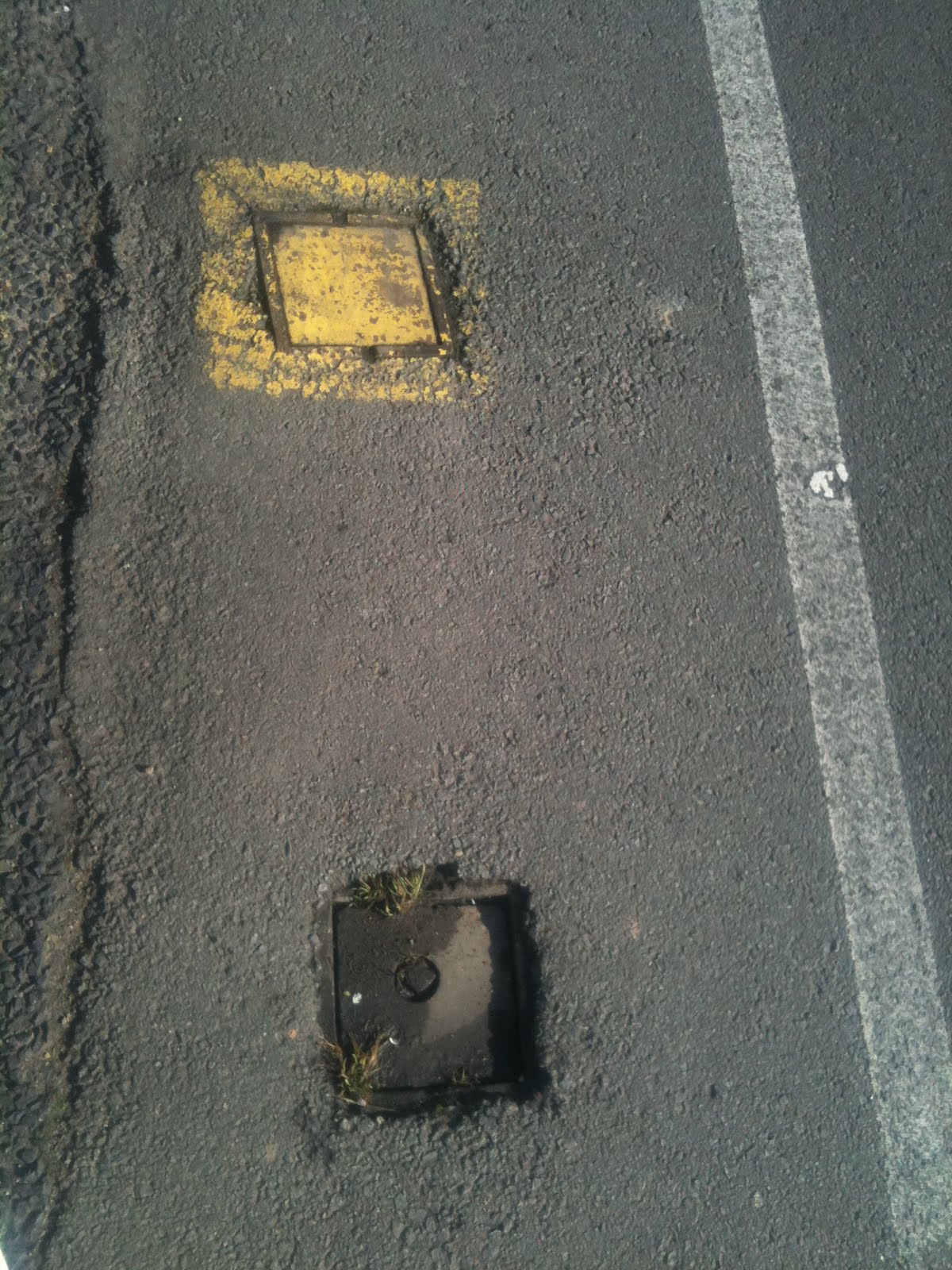
These seem almost unimportant in comparison to some of the other issues I’ve covered.  However, small obstacles in the bike lane surface are dangerous, both in terms of cyclists spotting them late and then swerving around them, and also for those who are unfortunate enough to ride through them.

11. Parked cars (severe)

To finish off, I include another photo of parked cars, this time on the initial slopes of Bonnet Hill on the southern end of Taroona.  In the picture you can see cyclists who are forced to ride almost in the centre of the road lane to pass the parked cars

In conclusion, the primary issue with the Taroona bike lanes is that they are narrow and frequently obstructed.  This means that cyclists must merge with car traffic in the road lane several times on a typical journey through Taroona.  Frequent merging is a safety risk — it only takes one slip for a serious accident.

Winter Challenge

Today our team of 4 competed in the Winter Challenge in Franklin, 45 minutes south of Hobart under the name Four Soft Specialists. The team name is a play on the name of company Software for Specialists which I do some contract work for. Tim was our runner, Paul took on the mountain bike leg, I rode the road bike section, but David hurt his shoulder a few weeks ago and had to find a backup paddler for the kayak leg. More on that soon.

The day dawned foggy with the promise of sun. It was perfectly still as we met at Tim’s place — all except our paddler, who would meet us in Franklin.

After an uneventful but very foggy drive, we rolled into Franklin.  David, after talking to our paddler from last year (as David injured himself last year as well — he’s good at this gig, hey?), finally found a paddler, Sam, who was looking for a team. Perfect match!
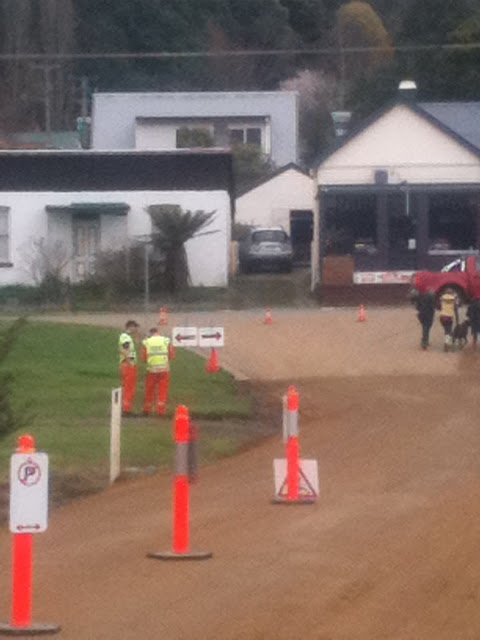
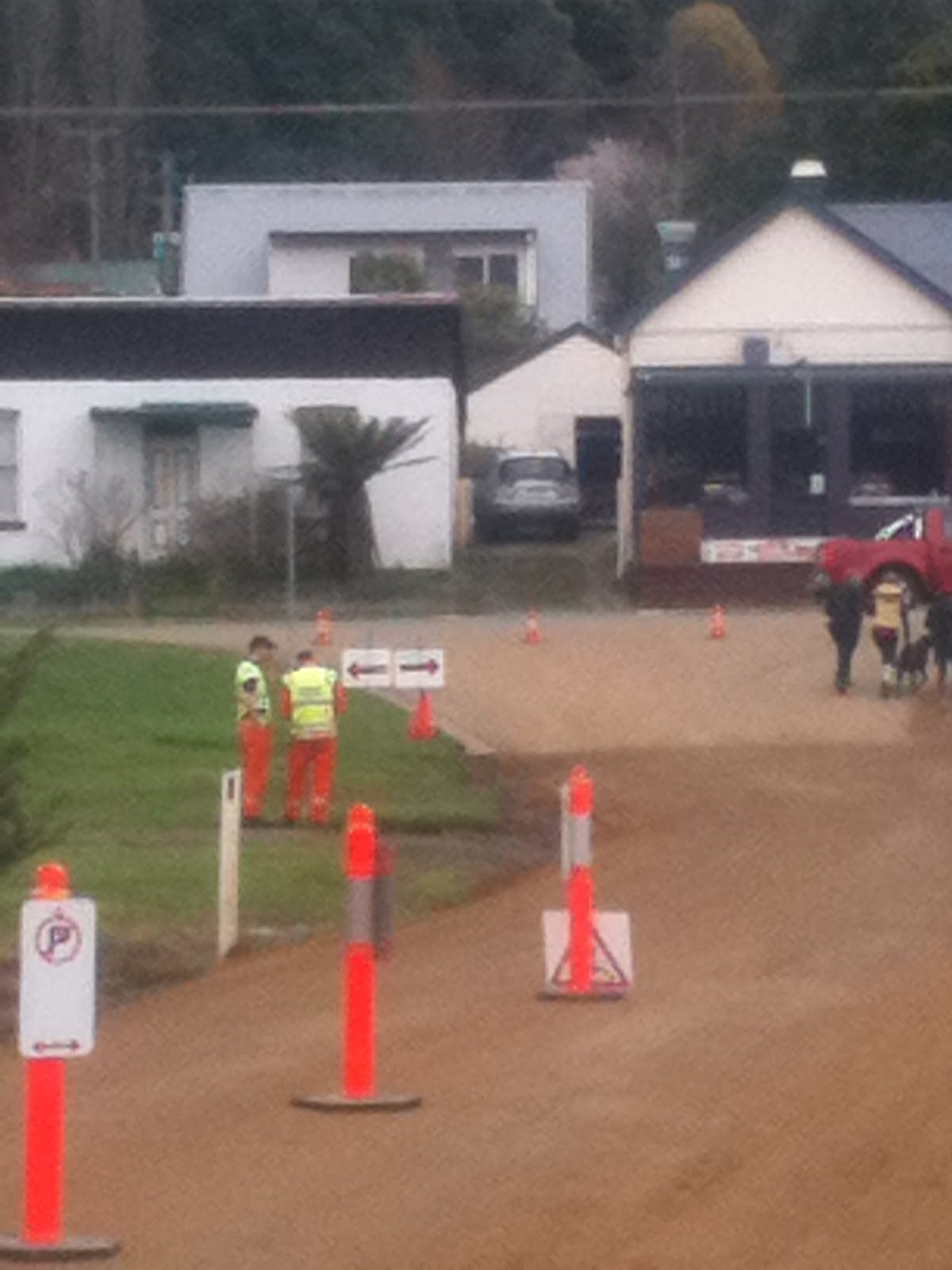
Direction Sign heading out of transition.  Do you know which way to go?

Tim was off first with the mass start run leg, an 11km slog over a young mountain, through fields with cowpats and mud! Soon after setting off he settled into a group of runners that felt about right. Then two runners ahead took a wrong turn and one turned up a few moments later looking rather cross — and promptly ran straight into a small tree, knocking it down. Tim kept a bit of a wary eye on this runner after that incident!
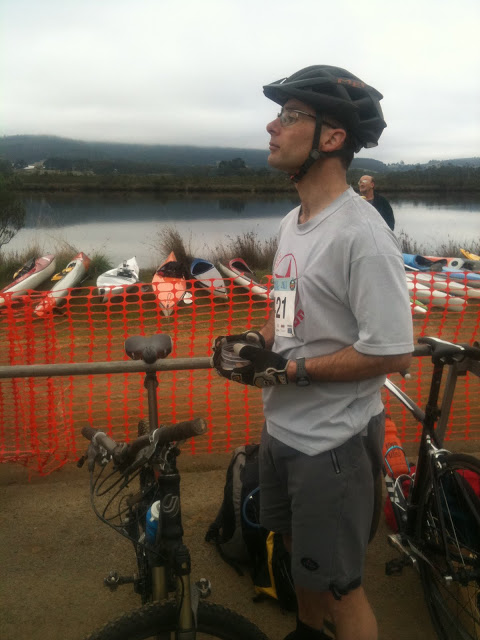
Paul keeps a lookout for Tim’s return

Tim finished in about 1:11 1:13:20 — a time he was pretty happy with, and so it was Paul’s turn to head off on the very muddy mountain bike leg. Paul easily beat his time from last year, finishing in 1:15:47, and in describing his effort said he only had four notable stacks. He came back very muddy, but by no means the muddiest of the mountain bike riders! 
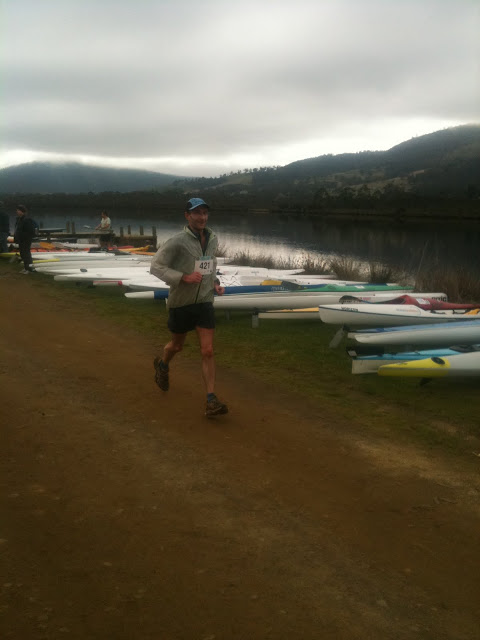
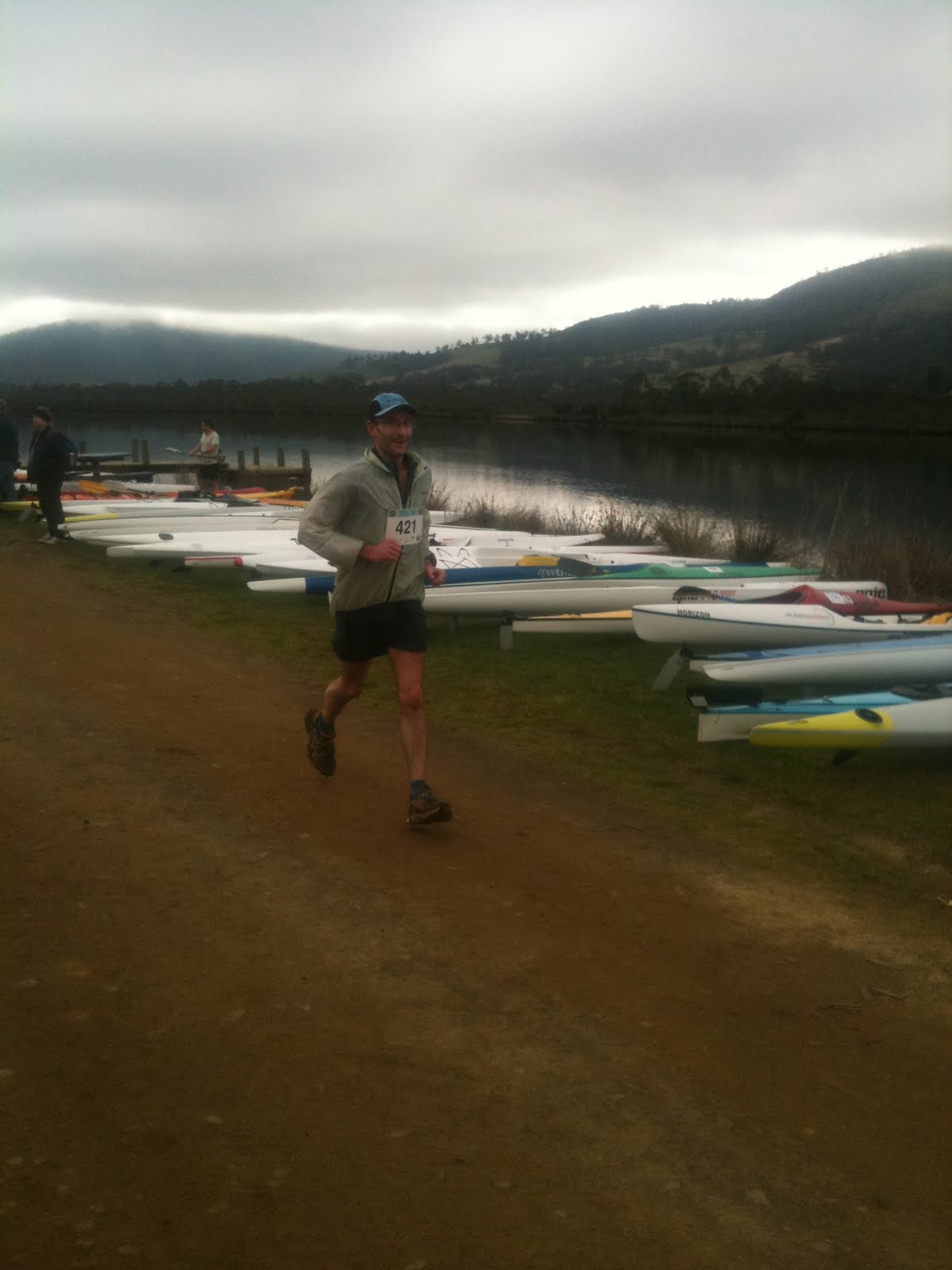
Tim running up to the finish line

I find the time in transition waiting for my team mate to return quite hard — one seems to be waiting forever as the seconds tick over glacially, and then suddenly it’s time to bolt for the timing tent. But my time came and off I went.

Last year the Winter Challenge was my first ever cycle race. This year I had a little bit of experience under my belt and a new bike, and so I was hopeful I’d be able to beat my previous time. I also had a heart rate monitor on and planned to work at keeping my HR at 165 as best I could.

I found in the morning that my right leg was a still a little bit sore from a minor strain earlier in the week, but I just hoped it wouldn’t flare up during the race.  Fortunately it seemed ok, just niggling slightly in the last couple of kilometres, and it didn’t really feel like it was slowing me down.

After setting out from Franklin at a decent clip, I found my tempo where my HR seemed to be pretty stable at between 165 and 170 bpm, and started chasing down the riders ahead of me.  It’s always a great feeling to pass another rider in a time trial.  I do feel a little mean when I pass because I know it’s not really very fun being passed by another rider.  If passed by a pro, then one can excuse one’s poor performance — but I am certainly not a pro!  Still, I was tickled that I passed about 25 riders on the course and didn’t get passed by anyone.  Isn’t it pathetic what pleases me?

By this time the sun had come out and it was a glorious day!  Just the lightest breeze and about 15 degrees Celsius.  In the distance I could see another rider, about 300m ahead of me.  As I started to work to catch him, a great big semi trailer roared past me, and immediately had to slow as there was no room to safely pass the other rider.  This in turn forced me to slow down considerably behind the truck — is drafting a truck still bad when one has no choice?  It seemed like I was stuck behind that truck for a long time but it was probably only 20 or 30 seconds before it pulled past the other rider and the road was clear for me again.

Unfortunately, another few kilometres down the road, about 10 cars that just had passed me were stuck in a line behind a timid driver that didn’t seem to want to pass another rider.  This time as I slowed down I saw there was plenty of room on the left, so carefully I rode past the whole file of cars and in the end this didn’t slow me up terribly badly.  I must admit I didn’t like doing this very much but I took lots of care and it all worked out fine.  Dunno what the drivers thought…
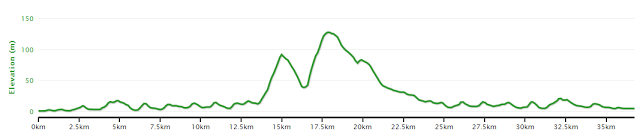
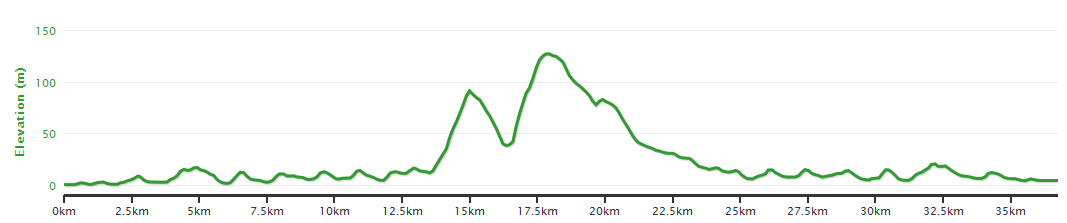
The road time trial elevation profile

Now I was approaching the two climbs on the course, and so I figured it was time to suck down a gel.  They help psychologically at least although sticky fingers and sticky jersey pockets are a bit gross!  I really couldn’t find a comfortable speed on the climbs, which was a bit unexpected.  I found them both hard going, and just couldn’t find a tempo which suited me, ending up changing up and down much more than I should have.  I took a drink from my bottle and then wished I had brought water instead of Gatorade.  Still, I made it to the top, and  got a chance to practice the ‘keep the power on over the crest’ technique.

The return leg is just a matter of keeping the tempo up and keeping focused.  The wind was still light, so it didn’t impact me very badly.  About half way back I had another drink and went over a bump just as I tried to put the bottle back, and dropped it.  Annoying!  Some might suggest I did it on purpose but honestly sir it was an accident.  Really truly.

There were fewer ‘rabbits’ for me to catch on the return leg (or else maybe I was going slower), and as the last 2km came up I tried to push that little bit harder but just wasn’t able to push my speed up much at all.  I rolled over the line with my wife and daughters cheering me on — they’d just managed to make it down to the line after church.  My average HR was 166: right where I wanted it, and my cadence was 100.80, again right on the button.  My GPS time was about 1:02:00, but official times are not yet online and my official time was 1:02:52 — so we did waste a bit of time in transition it seems.  Hoping to see them soon!  My time last year was 1:06:06, so I am very happy with the result this year.

I tagged our paddler Sam and off he went.  I didn’t see him go because I had to focus on not falling over on my way back to our gear in the transition area.  I guess that means I rode reasonably hard then!  We then had only a few minutes to wait before Power Sam came back over the line to finish for the day.  It was a treat to watch his super-efficient paddling style and listen to him being called out as a very fast finisher by the announcers.  All these superlatives?  It turns out that our Sam Norton is one of Australia’s fastest paddlers (please do note how I am claiming him for some rub-off kudos).  Sam’s finishing time was 0:46:20, a full 3 minutes ahead of the next fastest competitor in our class!  Again, I’m writing this before the organisers have had a chance to post the official results online but expectations are high that he made the top kayak time.  I’ll update the post with times when the results come online.
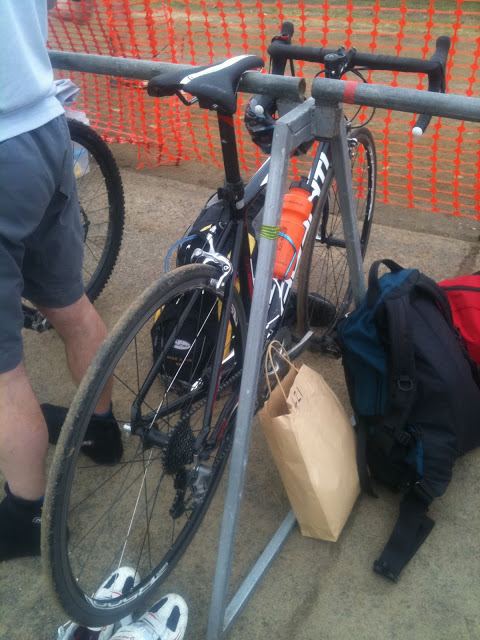
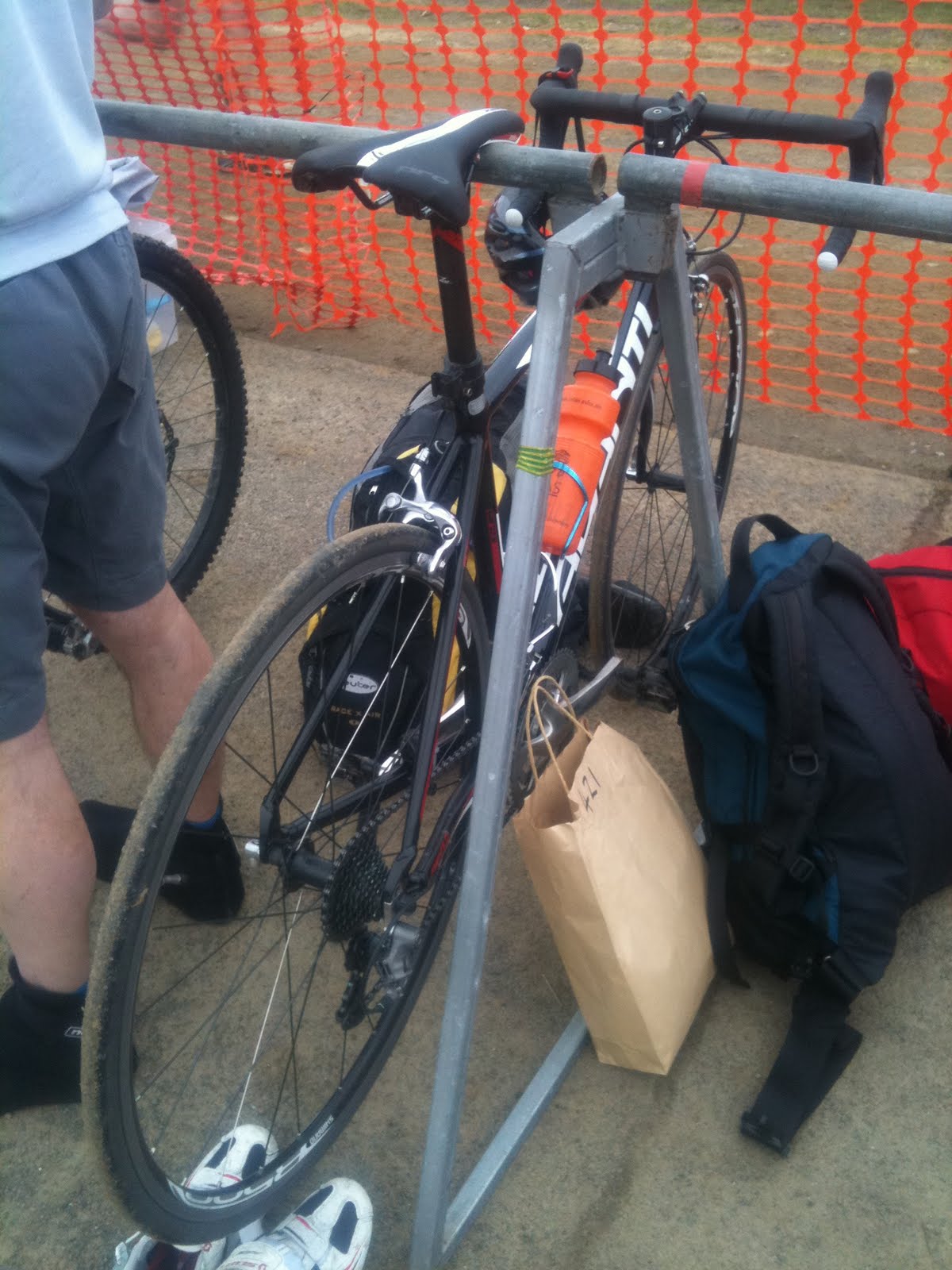
My bike in transition.  Nope, no aero bars.  Maybe next year!

Unfortunately with only 46 minutes for Sam’s leg, it was just not possible for Sam to make up the 45 minutes or more that we had lost overall already!  We finished overall in 12th place.

Roy and Ben are a couple of fellas I ride with at lunch times.  They were both marshalls on the day — and both said ‘hi’ to me while I stared at them like a complete idiot.  I find it hard to recognise other riders when they aren’t wearing their helmets and bike gear!  I really have to give kudos to them and to the whole Endorfun team — it was an awesome event and heaps of fun.  Really well organised, really friendly, and really well supported by local businesses.

We dropped into the ever lovely Petty Sessions Cafe for lunch while waiting for the presentations.  So great to be able to sit outside in beautiful spring-like weather after a couple of weeks of rain and general cold weather.

And after presentations — in which I won nothing, not even a spot prize (!) — we went home. 
Reproducing the TrustedInstaller.exe leak

Earlier today I blogged about the extraordinary amount of time it was taking to install updates on a Windows 7 virtual machine.  I believed that the issue came down to TrustedInstaller.exe taking what seemed to be an ever increasing amount of RAM and opening an inordinate number of handles.

After writing this blog post, I wondered who at Microsoft might be interested in the issue.  I ended up tweeting a link to Mark Russinovich in the hope that it would whet his interest (the blog did have pictures of Process Explorer, one of Mark’s great Sysinternals utilities ☺):

And verily, Mark did reply:

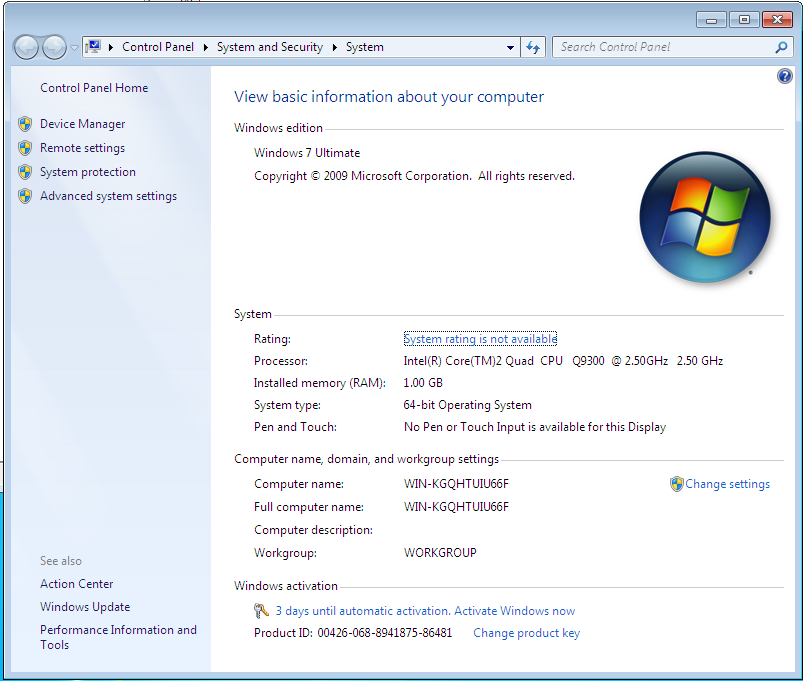
As Mark was kind enough to respond I knew I had to go and reproduce the issue!  So I built a new VM of Windows 7 Ultimate x64 with stock standard settings, but only 1GB of RAM (oops):

Stock Windows 7 Ultimate x64 install on a VM

I configured Performance Monitor to trace Working Set and Handle counters on the TrustedInstaller.exe process, and saved the settings into a Data Collector Set so that I could capture the whole update process.
 
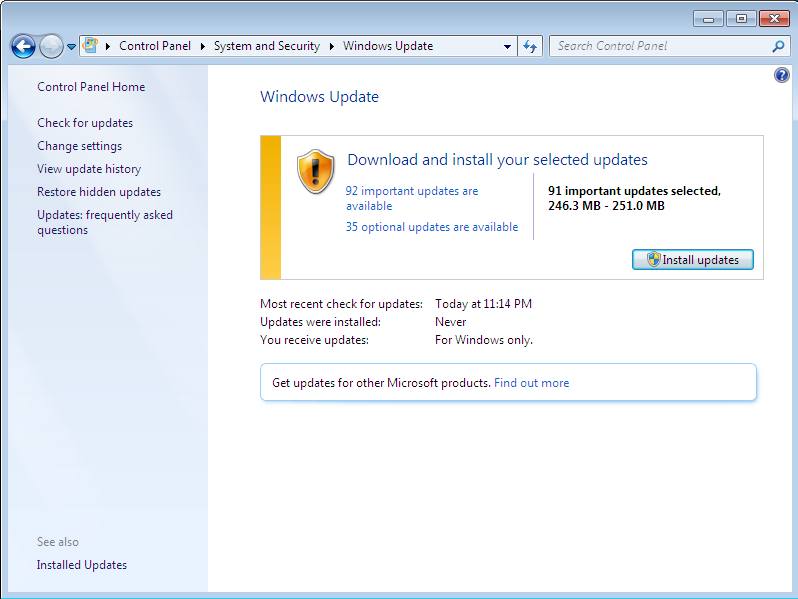
Then I started the Windows Update:

Windows Update: I selected the additional important update, but none of the optional updates

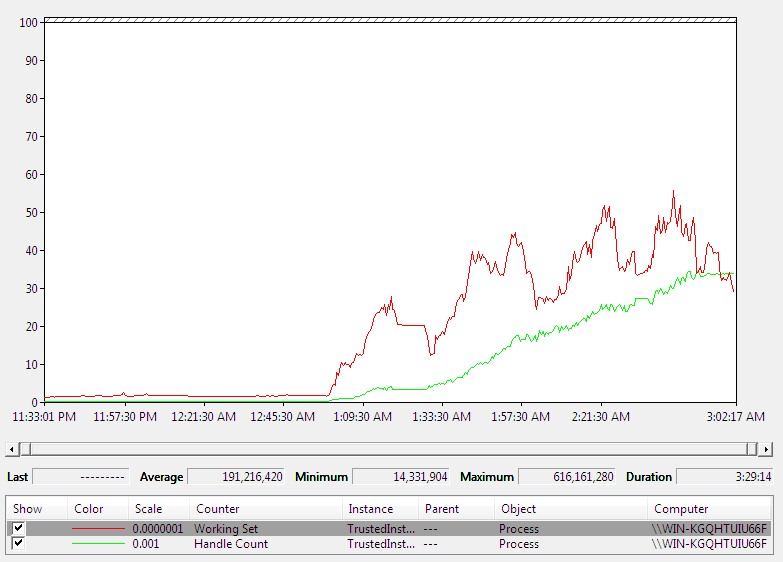
Three hours later (I did say whoops about the RAM, didn’t I?) Windows finished installing updates, and I was able to generate a report from the Data Collector Set that showed the following graph:

Graph of Working set and Handle Count + summary of Working Set detail

and:

Handle Count detail

At the end of the process we see 34,500 open handles, and a peak of 600MB memory usage.  As one would expect, the RAM usage went up and down quite a bit as updates were installed.  More disturbingly, the Handle Count really did not decrease significantly through the process.  So the real message of the graph is the trend for both the green Handle Count, and the red Working Set, which are both clearly heading the wrong way: up.

There were fewer updates to install than with the other VM, which was also installing Microsoft Office Updates; I’m guessing this had an impact on the overall numbers.

Minor note: I didn’t fix the time zone for the VM.  I wasn’t really doing this at 3AM!

Fun on the mountain

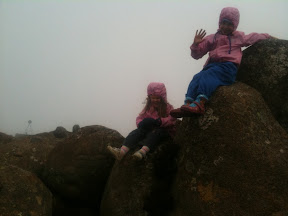
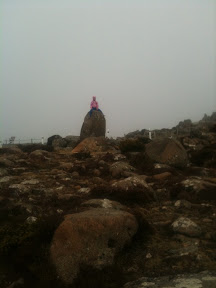
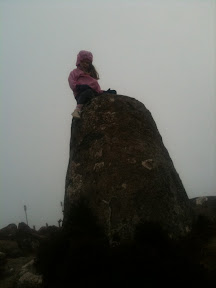
Joey was away over the weekend, so the girls and I drove up Mt Wellington on Sunday afternoon. It was zero Celsius and completely fogged in. They thought it was great!

On the Saturday, Bethany did an epic bike ride with me: 2 bridges in Hobart, with lunch at the Botanic Gardens, and sorbet in Moonah.  Hannah got a ride on the back of my bike.  I underestimated the length and difficulty of the planned route, and Bethany needed a lift from her grandmother for the last 8km back to the car.  Still 15km is an impressive effort for a 7 year old!

Does Microsoft’s TrustedInstaller.exe have a leak?

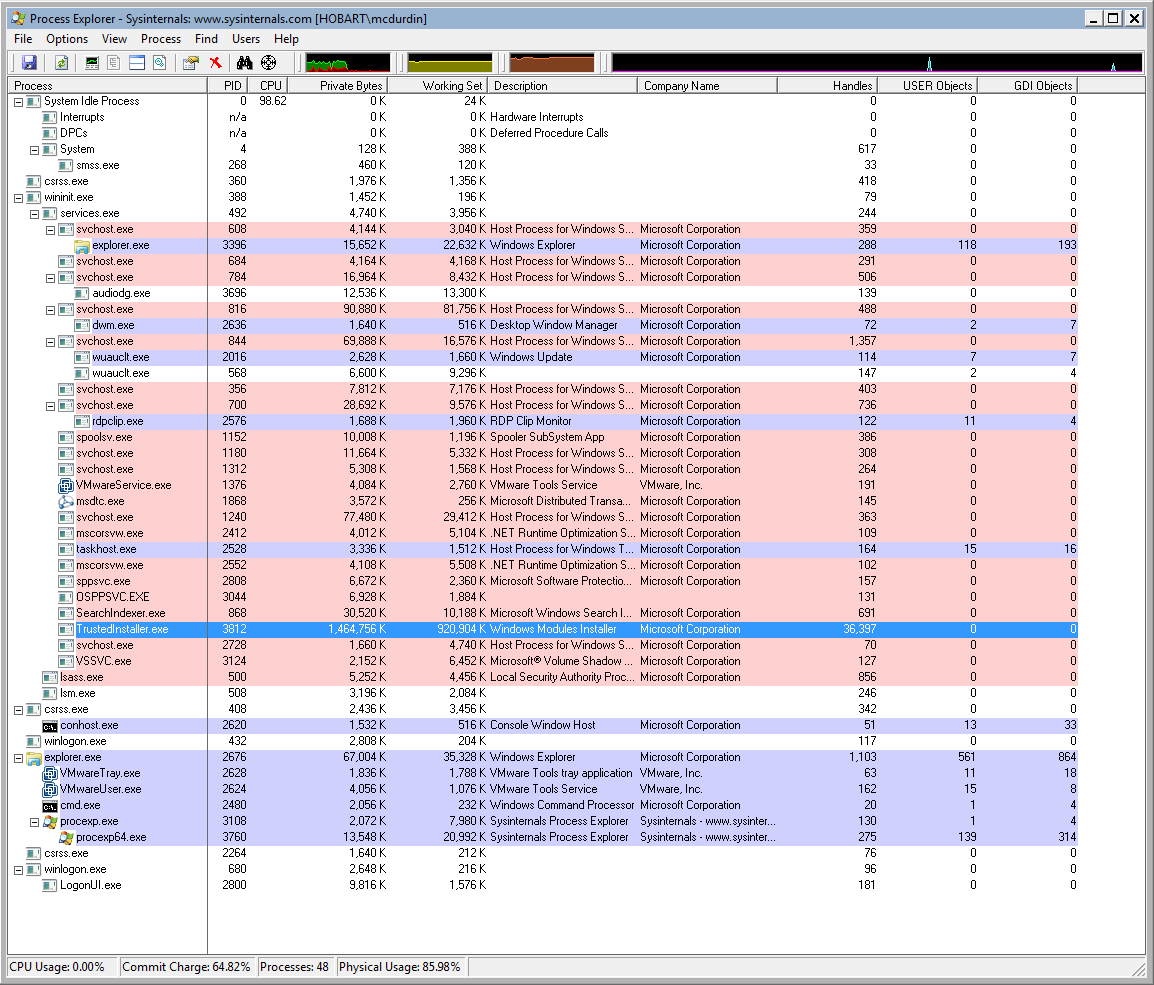
When building a virtual machine today, I was curious as to why the Windows Update install process was taking such a long time.  The initial run had over 100 different updates so I expected it to take a while, but it was even slower than expected. So I fired up Process Explorer and discovered that TrustedInstaller.exe had allocated over 1GB of RAM to do its updates.  As I watched, this number kept ticking up until all the updates were installed, with a maximum memory usage of roughly 2GB.  The handle count tended to increase over time as well, hitting a maximum of 50500 handles as I watched.

This VM was setup with 2GB RAM so this was causing lots of swap activity, which I guess is what was slowing down the update process so much.

I grabbed a screenshot at Update 94 when I decided that something was not right with this:

And another shot with the final update, Update 103.  50,484 handles is a whole lotta handles.

As each update finished, both the handle count and the memory usage would drop, but never back to the level before the update.
This really does suggest that TrustedInstaller.exe is leaking memory.  So is this intentional?  Whether by design, or by accident, it’s horrible.  Microsoft?
Update: Mark asked me why one would leak by design.  I suggested that one possibility might be that TrustedInstaller locks files or objects to prevent other processes from making changes to them before Windows is restarted, as the update process does not complete until Windows restarts.

The Browser is the Platform.. Welcome back to 1995.

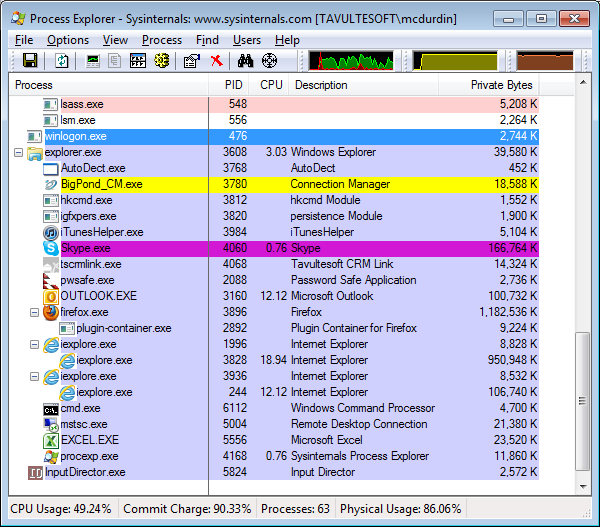
This morning I jumped onto my netbook, and noticed it was running rather sluggishly.  This netbook has only 1.5GB of RAM but normally does fine for web browsing and email.  But this morning it was woeful, taking 45 seconds to open a new mail message.  I fired up Process Explorer to find out what was going on.

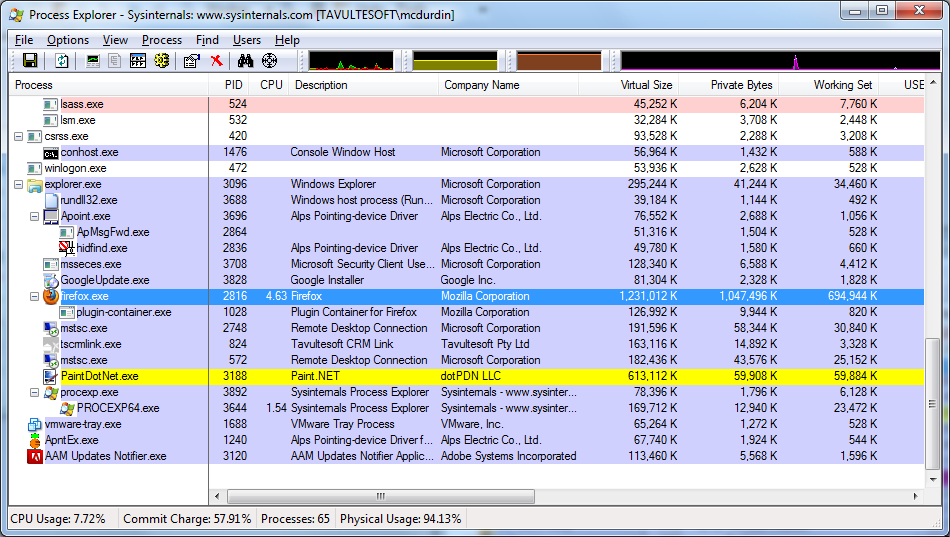
Oops, looks like I left Firefox and Internet Explorer running over the weekend.  Big mistake.  Come Monday morning, Firefox had allocated over 1150MB of RAM, and Internet Explorer was not much better on 928MB.  All on a machine with only 1536MB of RAM.  It’s swap time!

What about on my primary development machine.  Firefox is running.  3 pages open, all fairly static.  Should be okay to leave over the weekend, right?

Nope.  Firefox needs a mere gigabyte of RAM to cope with this complex demand.  Firefox suffers the most from the RAM addition, but none of the major browsers are safe.  Chrome, Safari, Internet Explorer 9 are all addicted to RAM.

Some web pages tip the browsers over the edge more quickly than others.  Facebook, Google+ and Google Docs are the worst offenders.  Twitter is usually much better: in that first example, the Twitter instance of IE is on 100MB, and Facebook on 928MB.  Firefox was running Google Docs.  Oops.

The browser developers have in the past blamed web page developers.  I guess that’s a bit like blaming buggy applications for platform instability in Windows 95.

If the browser is the platform, then it looks like rebooting the platform is back in style.  Excuse me for a moment after I post this blog: I need to reboot my browser.

Problems with Internet Explorer 8, print templates and standards compliance

The print engine that we use for one product I work with is based on Internet Explorer’s custom print templates functionality.  This actually works really well, and gives us lots of flexibility and generally is pretty straightforward to use.  Unfortunately, we have run into a bit of a problem recently when trying to print documents in IE8 standards compliance mode: multiple page documents print blank pages, are missing content or sometimes even fail to start printing.

I have been able to reproduce this issue using Microsoft’s own printtemplates.exe example (link in Introduction of article), with only a couple of minor changes to trigger the problem.

Symptoms
The issue arises when all of the following specific conditions are met:

  1. The document to be printed is in IE8 standards compliance mode.  This is mostly easily forced with the X-UA-Compatible META element:
    <META HTTP-EQUIV='X-UA-Compatible' CONTENT='IE=8' />
    
  2. The document to be printed is greater than 1 page long.
  3. The print template uses LAYOUTRECT elements of differing sizes.  This is a common requirement for letters which may have an address section or expanded letterhead at the top of the first page, but will have a much smaller letterhead on subsequent pages.

The Baseline
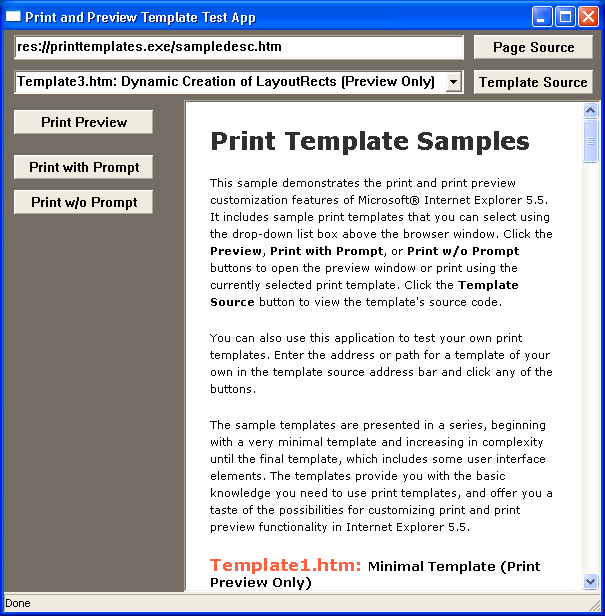
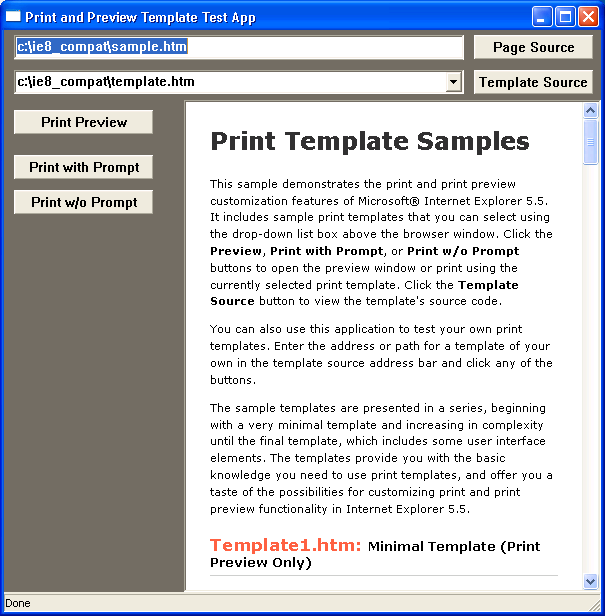
We’ll use the printtemplates.exe sample provided by Microsoft.  The sample Template3.htm in the example shows how to dynamically create LAYOUTRECT elements.  Here’s what happens before we make any changes to the example:

Print Template sample application, working with defaults
Print Preview, defaults, page 1
Print Preview, defaults, page 2

As shown in the screen shots, the print preview displays as expected.

Reproducing the Problem

With Internet Explorer 8, the problem can be reproduced as follows:

  1. Start printtemplates.exe, and select Template3.htm.
  2. Click the Page Source button.  In the HTML file that is opened, add the META element as the first child of the HEAD element.  This forces the page into IE8 standards compliant mode.  Save the file as sample.htm:
    <HTML>
      <HEAD>
        <META HTTP-EQUIV='X-UA-Compatible' CONTENT='IE=8' />
        <TITLE>Print Template Samples</TITLE>
      </HEAD>
    
  3. Back in printtemplates, click the Template Source button.  In the HTML file that is opened, make the highlighted change to the OnRectComplete function.  This small change means pages other than the first page have a smaller LAYOUTRECT than the initial page.  Save this file as template.htm.
    function OnRectComplete()
    {
        if (event.contentOverflow == true)
        {
            document.all("layoutrect" + (iNextPageToCreate - 1)).onlayoutcomplete = null;
    
            newHTML  = "";
            newHTML += "STYLE='height:5.5in'/>";
            newHTML += "";
    
            pagecontainer.insertAdjacentHTML("beforeEnd", newHTML);
            iNextPageToCreate++;
        }
    }
  4. Enter the full paths of sample.htm and template.htm into the respective fields in the print template sample, then press ENTER in the page field to load the modified sample.htm.

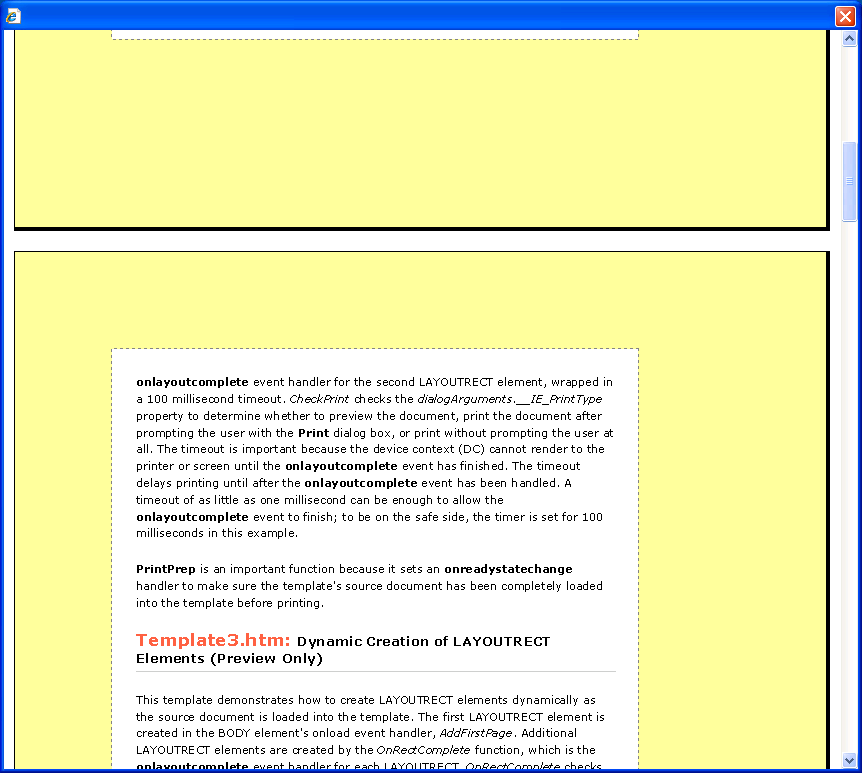
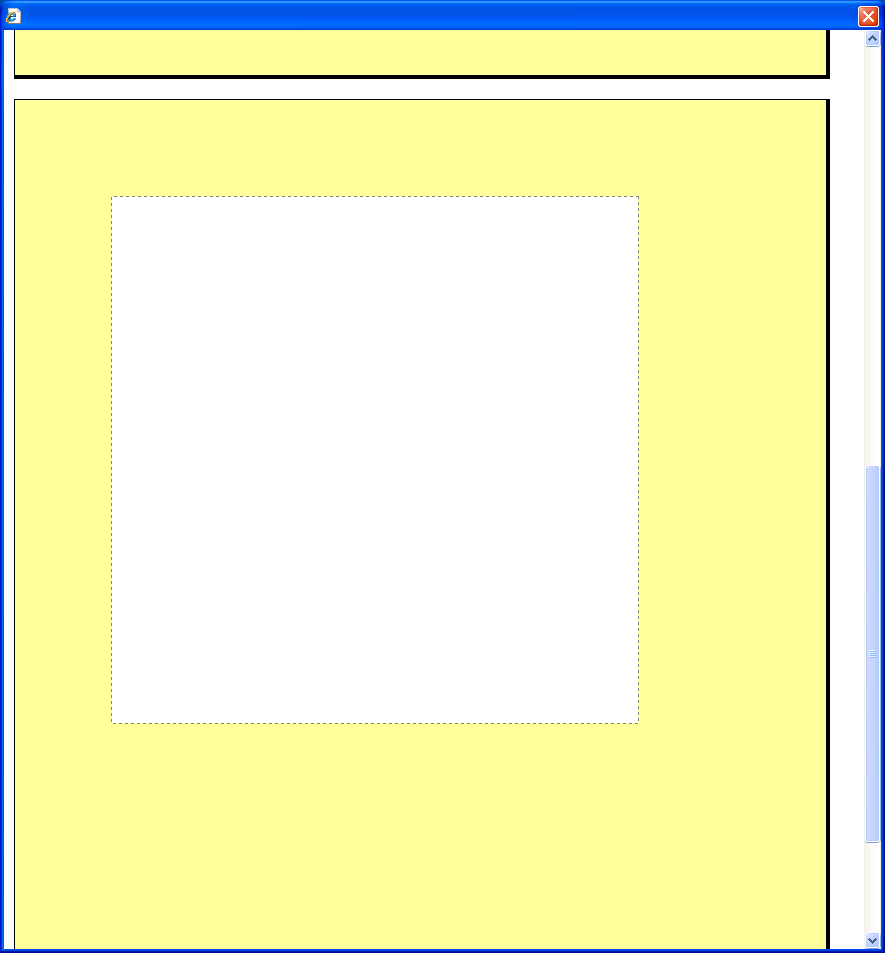
When you press Print Preview now, the print preview window will show blank pages instead of the expected content, and will have only 2 pages instead of the 5 or more that were shown previously:

The print template application with modified page and template ready to roll
Failing print preview, page 1
Failing print preview, page 2

If either of the changes are removed from the sample.htm and template.htm, the problem does not occur.  In Internet Explorer 9, the problem also occurs but appears to be resolved when using IE=9 in the META tag.  However, as Internet Explorer 9 is not available for Windows XP, this is not a viable solution for us.

Workarounds
We’ve found a few workarounds.  None of these are very viable for us but I list them for completeness:

  1. Don’t use LAYOUTRECT elements of differing sizes.  This is a non-starter for us.
  2. Don’t use IE8 standards compliant mode.  This would mean rewriting a number of reports and some complicated CSS to workaround bugs in IE7’s standards compliant mode, but may be a way forward.  Or use quirks mode with all the joy that brings.
  3. Use IE9.

Adding overlay notification icons to Google+’s taskbar icon in IE9

In the same way as I did for Twitter in an earlier post, I have now created a bookmarklet that adds notification overlay icons to Google+’s Taskbar icon, when pinned in IE9.  Currently Google+ only has a small favicon, and I have not found a way to tweak this once the page has loaded, so it’s not quite as pretty as Twitter’s icon, but it’s better than nothing!

Enjoy.

Right click Google+ Overlay Icon (IE9 only!) and click Add to Favorites to create the bookmarklet.

Formatted code for the bookmarklet:

(function() {
    var fLastCount = -1;

    window.setInterval(function()
    {
      try
      {
       var res = document.getElementById('gbi1');
       if(res) {
          var nNewCount = parseInt(res.innerHTML,10);
          if(nNewCount == NaN) nNewCount = 0;
          if(nNewCount != fLastCount) {
            var ico = nNewCount > 5 ? 'error' : 'num_'+nNewCount;
            window.external.msSiteModeSetIconOverlay('http://ie.microsoft.com/testdrive/Browser/tweetfeed/Images/'+ico+'.ico',
              nNewCount+' notifications');
            fLastCount = nNewCount;
          }
        }
        else if(fLastCount != 0) {
          window.external.msSiteModeClearIconOverlay();
          fLastCount = 0;
        }
      } catch(e) { }
    }, 1000);

    })();

Netbook Surgery

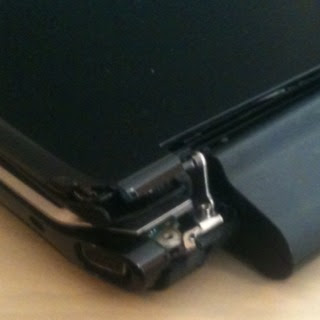
Joey’s computer had a little accident recently and is due to go to hospital shortly for some serious transplant work once a donor can be located.

However before sending Joey’s netbook to the doctor we wanted to take a backup of the drive, as Acer will wipe and reinstall the drive in the repair process. Joey had a recent backup but not everything from the last few days. Oh yes, her netbook doesn’t start up.

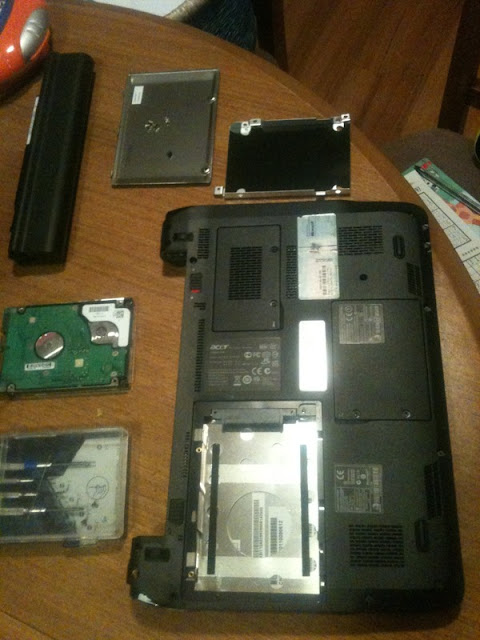
So I figured I’d swap the hard drive out of her netbook into mine, and back it up onto a USB hard drive. It was 2 minutes work to pull the drive out of her netbook:

2 exterior screws, 1 interior screw and 4 screws on the hard drive enclosure. Quick and easy.

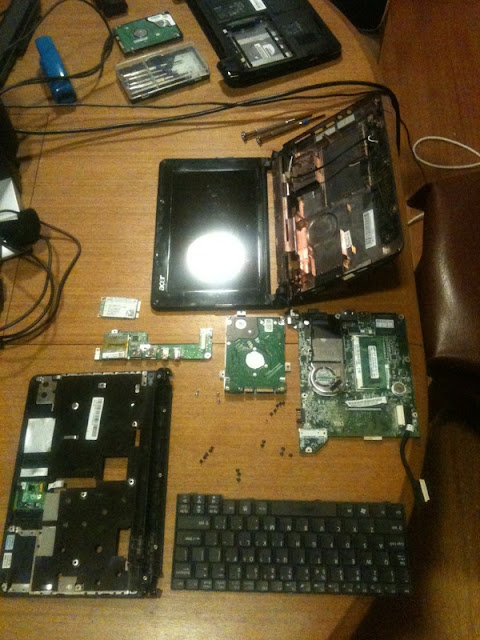
Mine proved a little more complicated. To get to the hard drive, I had to remove 21 screws, unclip the casing, remove the keyboard, the mainboard, the wi-fi card, a secondary circuit board, undo the screen hinge mount, and unplug 6 different cables:

It worked though: I was able to take a backup of the drive and wipe it, before reassembling both computers. Yay!

Now to see how repairable Joey’s netbook is… This bit is Acer’s job!